
How to Search Cases by Name
The free Montgomery County case-information form gives you a single Party Name box. It accepts either a name or a case reference. Search Help warns against putting both in one query. "Match all search terms" comes checked by default. That setting works best with a full name. The criteria also stack. Adding a known filing year, court, and case type can sharpen a search on a common name considerably.
- Open the official county inquiry and choose Search.
- Enter a party name or case reference, but not both, in the shared field.
- Add the original Case Year when known.
- Select Circuit Court or General Sessions and Criminal or Civil.
- Complete the Turnstile check, choose Find Now, and compare the returned case identifiers.
There are no attorney, judge, room, status, offense, disposition, or filing-date-range filters on the form. Assume those fields cannot be searched. When a result set comes back too broad, tighten the controls that exist instead of piling on extra words without a plan.
| Field | Type | Required | Notes |
|---|---|---|---|
| Party Name / Reference | Text | Conditional | Name or reference, not both; first ten words processed |
| Case Year | Year | No | Use the year originally filed |
| Case Number | Number | No | Enter the final numeric segment |
| Court Type | Checkbox | Yes | Circuit Court or General Sessions |
| Case Type | Checkbox | Yes | Criminal or Civil |
Montgomery County Case Lookup Controls
The official Montgomery County search form exposes the five practical criteria documented above. Its court and case-type boxes are checked by default. This can be useful for a first pass, but it can also return unrelated courts or record classes. Select only the likely combination when the name is common. A Turnstile challenge must be completed before submission, so automated access may behave differently from a normal browser.
The official search interface shown below helps a user recognize the public county service and its actual fields.
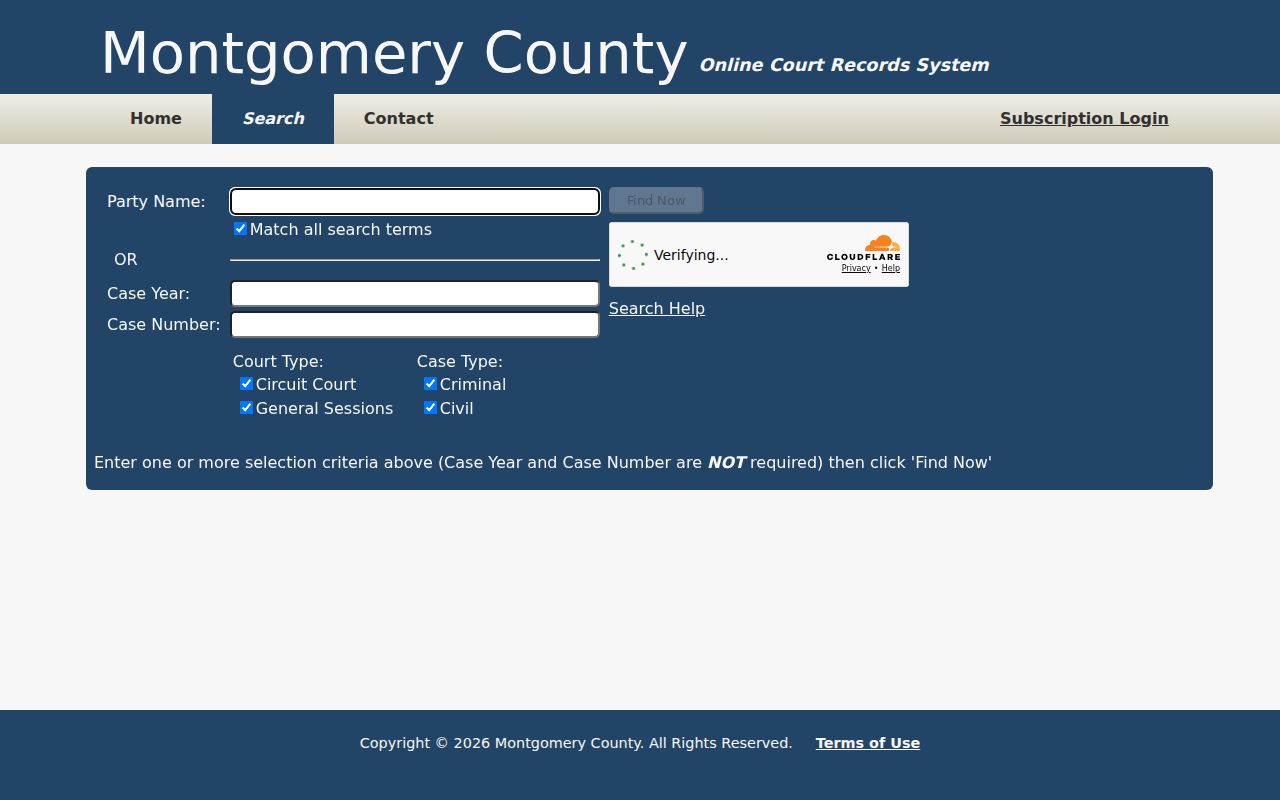
The screen offers no public API and no bulk download. Treat it as a tool for one focused lookup. When a result set is large, sort the visible columns, then refine the court, type, year, or query.
How to Search by Case Number
A Montgomery County case number carries court context in its text, but the portal's Case Number field does not want the whole formatted string. Search Help points to an example like 99GS1-2023-CR-12345. Type only 12345, the digits after the last hyphen. Then add the original filing year and pick the matching court and case type.
Local numbering samples include 63GS1-YYYY-CR-NNNN for General Sessions criminal matters and 63CC1-YYYY-CV-NNN for Circuit Civil matters. The prefix hints at the office. The year marks when the case was filed. CR or CV flags the broad record type. Formatting can differ for older files and other courts, so treat these as documented examples rather than universal rules.
Refine Montgomery County Name Results
The engine caps a result set at 2,500 rows. It reads only the first ten words of any name or reference query. Letter case and Unicode marks get normalized. Quoted phrase searches work. Typo tolerance depends on word length. A broad surname can hit the cap without proving a record exists or does not. Begin with a full name and Match all search terms still selected. From there, add the filing year and the correct court pair.
Keep a search log. Note the query date, exact name or reference, filing year, Court Type, and Case Type.
The visible-results filter is literal and searches only the rows already returned. It does not rerun the court database.
Displayed columns sort in ascending or descending order. That helps group likely matches together. Never rest identity on a name alone, though; compare the case number, filing context, court, and public case style before opening a result.
What a Case Search Shows
A lookup result is an index, not the file itself. The search table shows sortable columns. Choosing a result can open fuller information under the portal's stated access process. The county says users must follow its login instructions to see a record in full. A separate "Subscription Login" sits on the home screen. Even so, Montgomery County describes the basic public inquiry as free.
| Case Number | The court-coded identifier used to distinguish the matter. |
|---|---|
| Style / Parties | The public case caption or party context. |
| Case Type | The selected criminal or civil classification and court. |
| Filed Date | The filing context, which may differ from a hearing date. |
| Status / Setting | Current case or docket information that must be read with later entries and orders. |
A docket event is not a certified judgment. A charge, motion, setting, or bond field alone proves no outcome. Filed civil allegations do not become facts simply because they appear on paper. When legal effect or official proof matters, ask the clerk for the final order or a certified copy.
Montgomery County Search Coverage Dates
The county's Online Court Records page lists the coverage dates. Criminal and traffic coverage starts November 1, 1999. Civil coverage starts May 1, 2006. The word "current" is not a promise of instant posting. A daily setting can appear before a later disposition shows up. A document image may stay offline.
An older file may sit outside those dates. The official coverage notice is the best place to confirm it. It also helps you decide whether clerk help is needed.
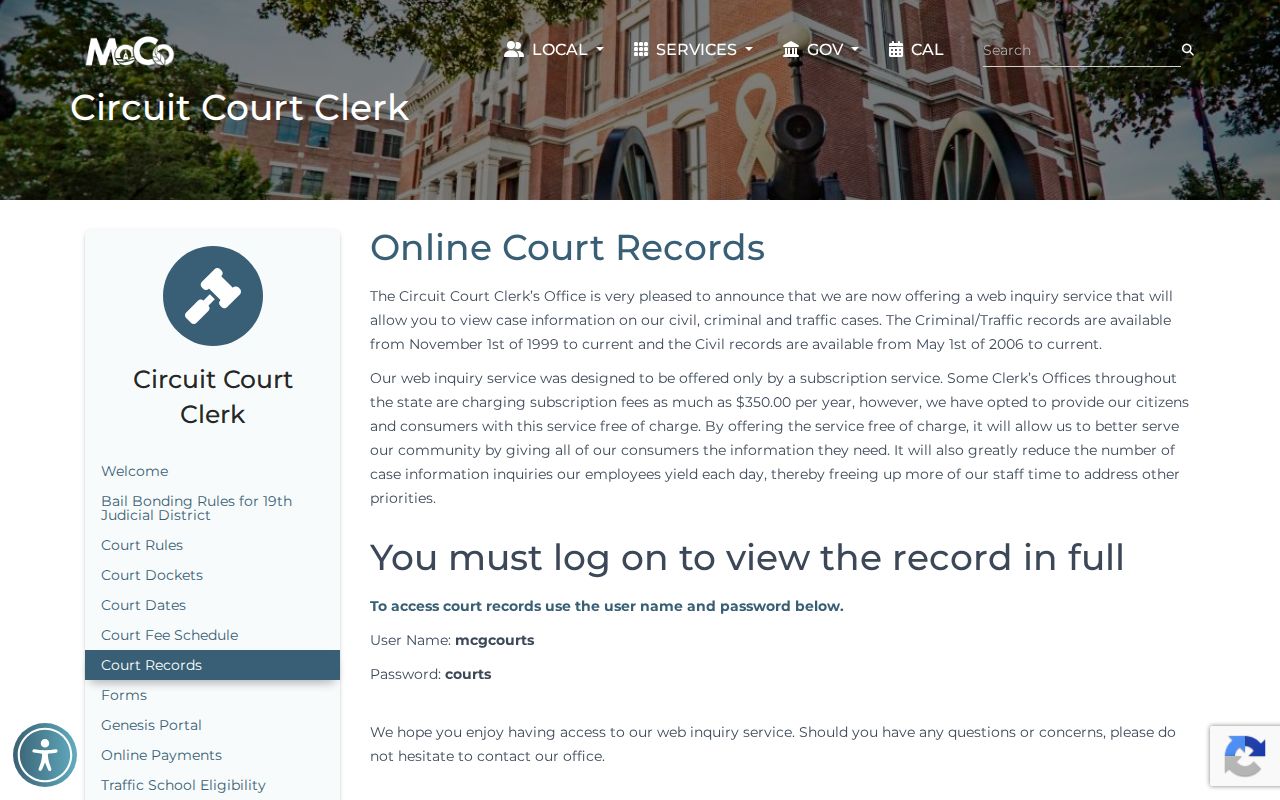
For anything filed before those dates, turn to the Circuit Court Clerk's Records and Archives division. Give them a narrow name, an approximate year, the court, and your document request. Chancery and probate sit with a different custodian.
County vs Statewide Case Search
Tennessee runs no single statewide public search for every trial-court case. The Montgomery County portal holds participating local Circuit and General Sessions information. State appellate cases are different. The Tennessee Courts Public Case History Search works by case number, case style, party name, or business. It does not replace the local trial search. Tybera eFlex is a filing interface tied to TnCIS, not a public county case lookup.
| Tennessee Appellate Search | Montgomery County Portal |
|---|---|
| Supreme Court and state appellate case history | Local Circuit and General Sessions case information |
| Best after a state appeal has been filed | Best for a known Montgomery County trial matter |
| Case number, style, party, or organization search | Name/reference, year, final number, court, and type |
City ordinance and traffic cases belong to Clarksville's municipal court system. They never touch the county portal. Federal cases that involve Montgomery County go to the Nashville Division of the Middle District of Tennessee. They run through PACER instead. The court holding the case picks the portal; a party's address does not.
Montgomery County Free Inquiry Service
The county inquiry home has Home, Search, Contact, and Subscription Login navigation. Montgomery County says it chose not to charge a subscription fee for its public online-record inquiry. That should not be confused with free certified copies, unrestricted document downloads, or public access to protected records. Each of those has a separate rule or custodian process.
The service home shown below identifies the county's TnCIS-backed public access point.
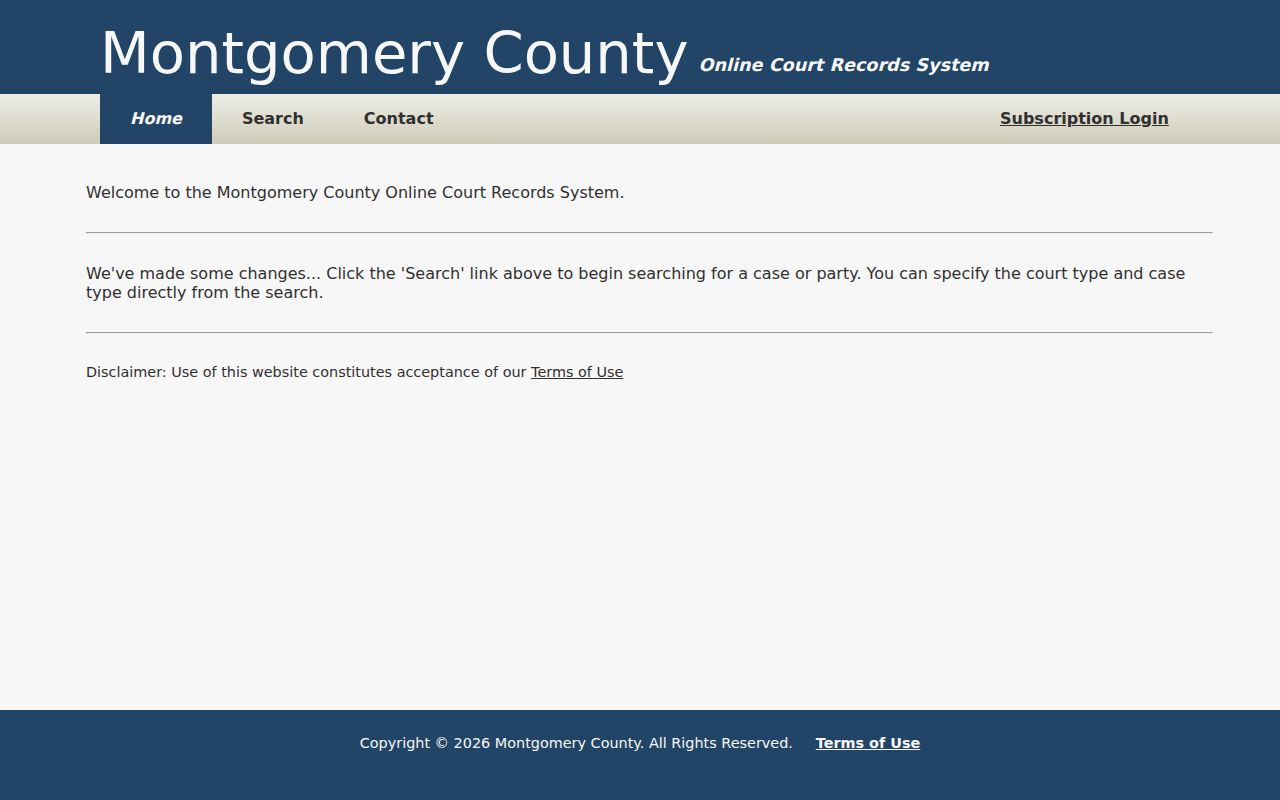
The portal and Tybera eFlex do different jobs. eFlex accepts filings where local rules permit it. The inquiry portal, by contrast, surfaces public case information on the Montgomery County docket. A filing that goes through does not appear publicly right away, and a public hit does not unlock every document on file.
When Montgomery County Shows No Case
No hits usually mean bad routing. Drop the punctuation. Try the full name with Match all terms. Use the last numeric segment of the case number, add the filing year, and switch court or case type if the first choice was wrong. Matters predating online coverage call for a historical docket search by the Circuit Court Clerk. In person, mail, phone, email, and fax all work, though you should confirm fax acceptance.
The Circuit Court Clerk handles Circuit, Criminal, General Sessions, and Juvenile routing at 2 Millennium Plaza, Suite 115, Clarksville, TN 37040. Call 931-648-5700 or email cccmont@mcgtn.net. A mail request should name the court, the case number if known, the document, the date range, the format, and whether certification is needed. Skip sensitive identifiers the request does not need.
Probate, estates, conservatorships, guardianships, and Chancery go to the Clerk and Master in Suite 101, reachable at 931-648-5703 or ClerkandMasterInfo@montgomerytn.gov. AOC channels serve only AOC-held records. They never replace the county custodian for a Montgomery County docket search.
Restricted Cases and Access Rules
Tennessee Supreme Court Rule 34 starts from public access to court records. Not everything is open. Excluded, sealed, protected, confidential, draft, and deliberative material stays off limits. Rule 1A presumes civil records open but sets standards for court-ordered sealing. Juvenile Rule 114 runs on its own confidentiality framework. An expunged, sealed, juvenile, or protected case may be absent or limited. That can happen even when a public reference once existed.
You may hold a legal right to seek access. If so, ask the correct clerk about the court's process. A blank result is not permission to hunt protected data elsewhere. It is also not proof that no case exists. Write down the search terms and date. Then ask the clerk for the restriction basis or the correct motion procedure instead of demanding disclosure from staff.
Public case information serves real purposes. Track your own matter, or confirm a hearing. Follow a public case, or study how local courts work. None of it shows guilt or liability. Verify big facts against the original court file. Get certification when an official record is required.